
Contents of this article
Webmail lets you read and send email in your browser, without a mail program. It's handy on a computer that isn't yours, or when you quickly need to look something up. This article shows how to log in and where to find everything. You need the mailbox's email address and password.
Logging in
You can go to the login page below directly, or follow the webmail link next to the mailbox in the control panel; see Open webmail from the control panel. Either way you log in with the mailbox's own details.
-
Log in to the mail server
Go to mail.hostage.eu and log in with your full email address, for example
info@voorbeeld.nl, and the mailbox password. -
Click Webmail
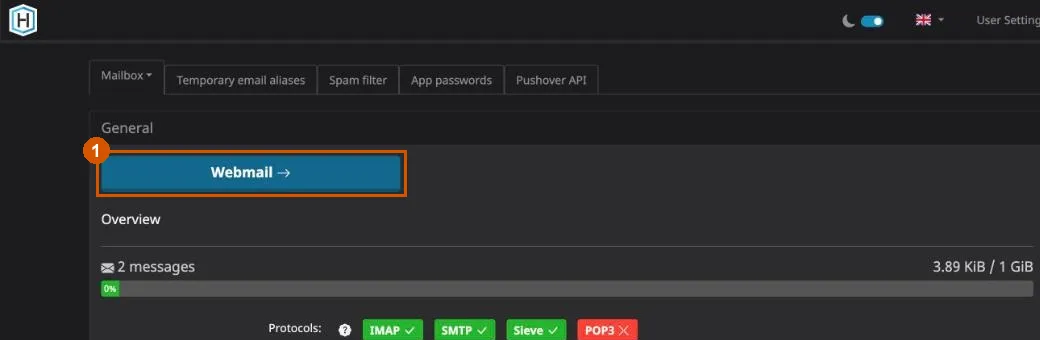
You now see your mailbox overview. Click the blue Webmail button at the top (1). Webmail opens with your inbox.
Finding your way
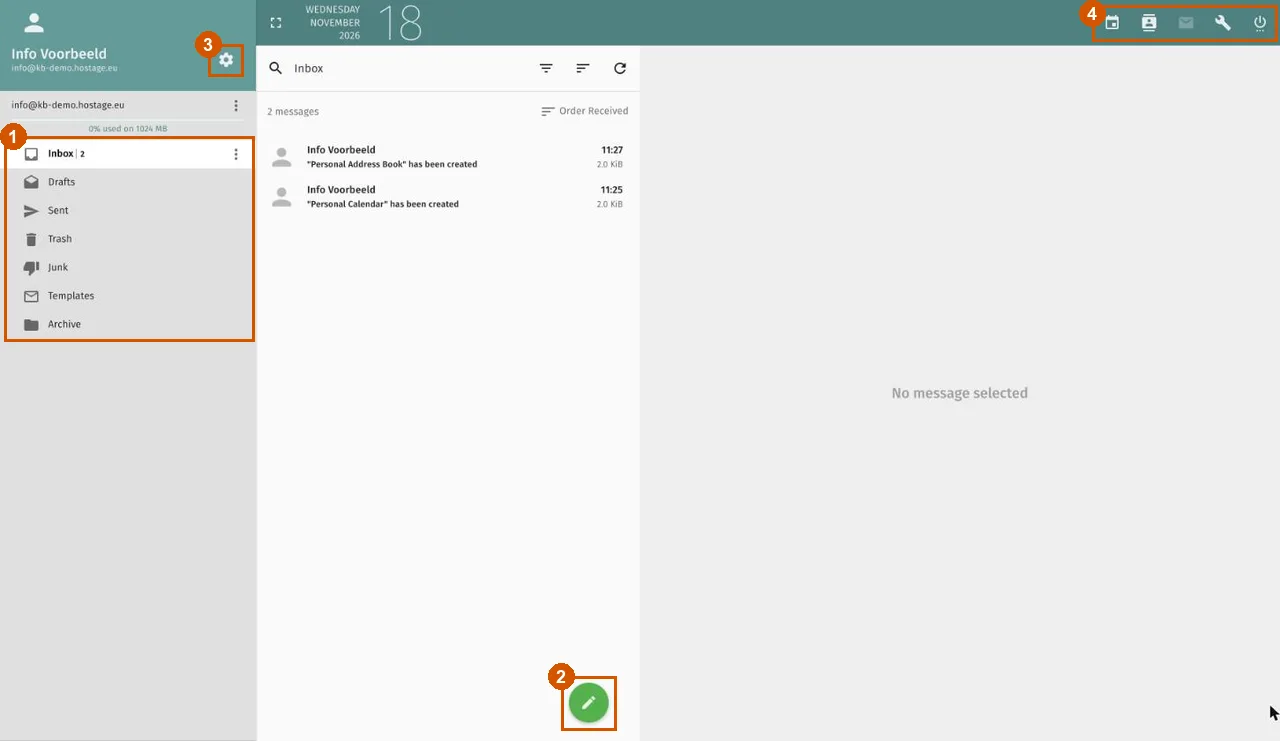
- Folders (1): on the left are your Inbox, Drafts, Sent, Trash, Junk, Templates and Archive. Above them you can see how much of the mailbox is in use. Click a folder to see its messages; click a message to read it on the right.
- New message (2): the green pencil button opens a blank message.
- Preferences (3): the gear next to your name opens the preferences, where you set up an out-of-office reply, filters and forwarding, among other things.
- Icons top right (4): from left to right the calendar, the address book, mail, the wrench, which takes you back to the mailbox page of the mail server where you started, and on the far right the power button to log out.
Above the message list are a search field and buttons to filter, sort and refresh.
Further reading
- Set up an out-of-office reply in webmail
- Create mail filters in webmail
- Forward email automatically from webmail
- Change the webmail language and time zone
- Prefer a mail program? See Set up email in Outlook, on iPhone and Android.
If it doesn't work
If the password is wrong, set a new one in the control panel; see Change a mailbox password. If your webmail looks very different from the pictures, your mail is on a different platform; use the webmail address we gave you instead. If it still doesn't work, email support@hostage.nl with the exact error message.
Was this article helpful?
Thank you for your feedback.
Thank you. What were you missing? Let us know at support@hostage.nl and we will add it to the article.
Related articles
- Set up an out-of-office reply in webmail Set up an automatic reply that starts and stops on the days you choose.
- Change the webmail language and time zone Change the language and time zone of webmail in the preferences.
- Forward email automatically from webmail Forward mail from a mailbox to another address automatically using webmail.
- Create mail filters in webmail Sort incoming email automatically with rules in webmail.
Still stuck?
Send us a message. We will help you, usually within one working day.